1
Choose a date
Create an event, give it a name, and choose a past or future date. For example, count the days since you moved in together or count down to your next getaway.
The first date. The day you said yes. Unforgettable moments. Count your time together and look forward to what comes next with DayCount.
Download on the App Store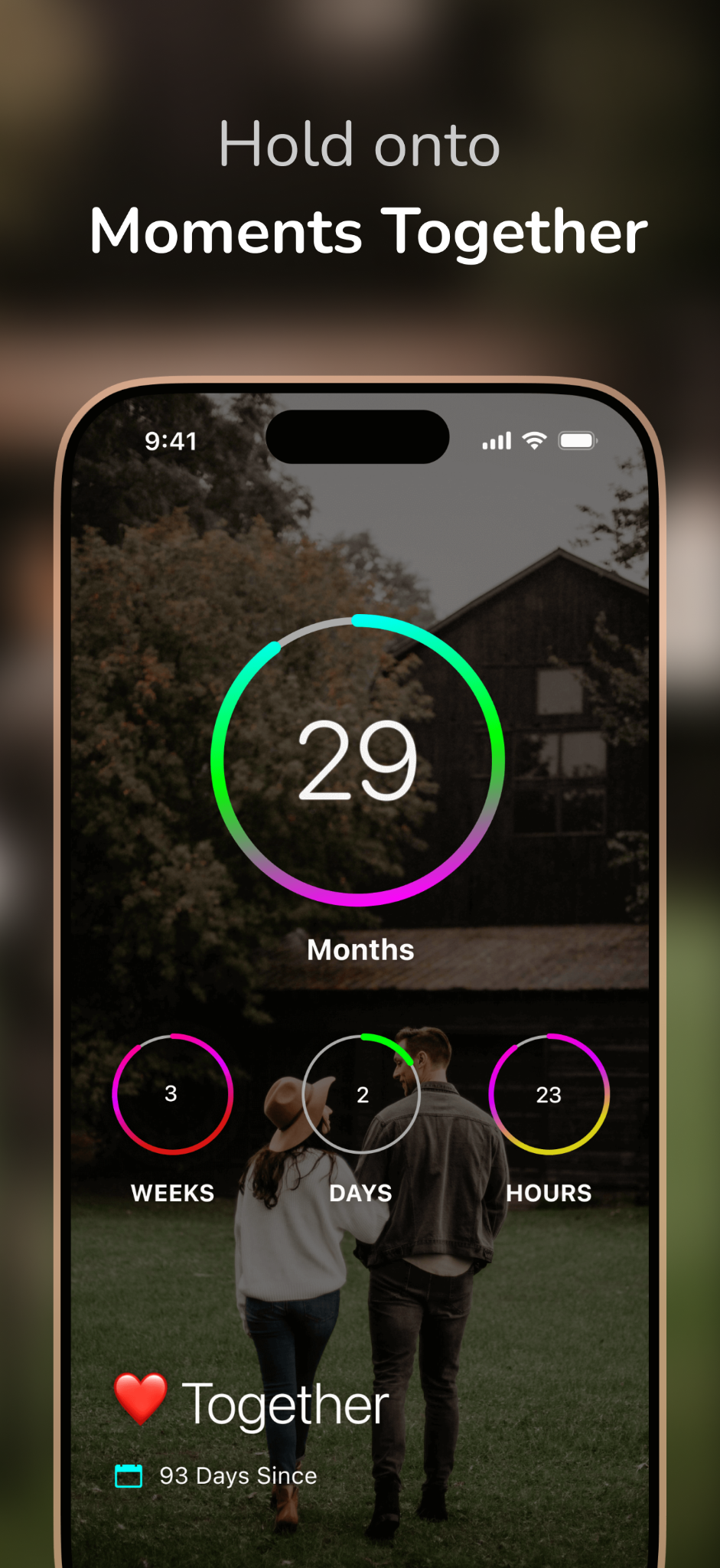
Your beginning. Your next big day.
Count the days since your favorite memories, or the days until your next adventure. Start with a date that feels like you.
How to use DayCount
A few personal touches turn a date counter into something you’ll love seeing every day.
Create an event, give it a name, and choose a past or future date. For example, count the days since you moved in together or count down to your next getaway.
Choose your time units, then customize with a photo, font, and colors. Add a note if you like—a memory from your first date or plans for your anniversary.
Add a widget to see your counter at a glance, or set an alert for a date you want to remember. For example, get a reminder before your anniversary so you have time to plan.
A small, everyday reminder
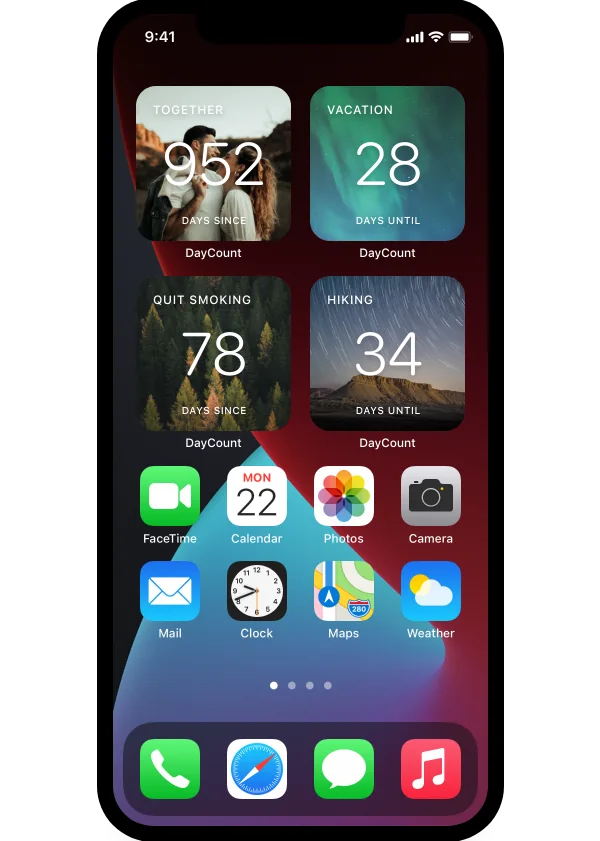
Make your relationship counter part of your Home Screen. A photo, a meaningful number, and a little reminder of the life you’re building.
Use your days together for a look back, or your next visit for something to look forward to.
Customize its photo, font, colors, and layout in DayCount. Match your wallpaper or let a favorite memory stand out.
Touch and hold an empty area of your Home Screen, open the widget gallery, and find DayCount. Choose a size, add the widget, and configure it to show your event.
More than one special date
You don’t have to choose just one moment. Create separate events for the dates that belong to your story.
Count from the coffee, the walk, or the evening that became the beginning.
Keep your engagement date and a countdown to your wedding side by side.
For long-distance days, count down to the next visit you’ve planned.
Remember moving in, adopting your pet, or another first that feels like home.
Keep the little details
Add a note to your event: where you met, the song that was playing, or the thing that still makes you laugh. Pair it with a photo so you remember more than the date.
Our first date · a note to remember
“One coffee turned into a four-hour walk. Neither of us wanted to go home.”
Make the features work for you
Set a yearly repeat and an early reminder. Give yourself time to plan something lovely.
Days, months, or down to the second. Choose the view that means most to you.
First dates, trips, and big milestones. Give each its own photo and name.
Your next visit or a weekend away. Count down to being together.
Protect your events with Face ID, and choose what appears on your widgets.
Your counters sync across your iPhone, iPad, and Mac. Your memories come with you.
Questions
Create an event using the date you got together, then choose days as the time unit. DayCount keeps counting from that date. You can change the date or display units later.
Yes. Keep your first date as a past event, and add your next anniversary as a separate future event. You’ll have a count up for your relationship and a countdown to your celebration.
Set your anniversary event to repeat yearly and add an alert. Choose an advance reminder if you want time to plan, rather than only remembering on the day.
Yes. Customize a DayCount widget with your relationship event and a favorite photo, then add it to your Home Screen. The widget guide walks through the setup.
Syncing keeps your counters up to date across your own Apple devices. Your partner can create their own counter with the same date and personalize it their way.
DayCount is free to download. Some additional features are available through a one-time purchase or subscription.